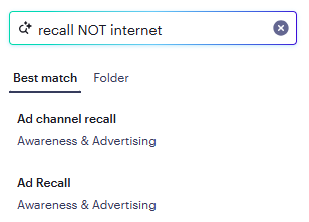
You can use Crunch’s in-dataset variable search to find your variables. Our search allows you to use natural language to search for data, which means you can type your search results the same way you would normally speak.
You can also perform a keyword-only search when your entire search query is in quotation marks. Only search results with an exact match will be returned. The entire search query must be in quotation marks for this to work. For example, if you search for "United States" only results with the exact keyword "United States" are returned.
Searching for a variable
-
In a dataset, locate the search bar on the top left of the page:
-
Type your search criteria in the box and then click Enter. Remember, you can use natural language to find what you’re looking for.
Your search results appear. Click the Best match tab to see the most relevant search results first:
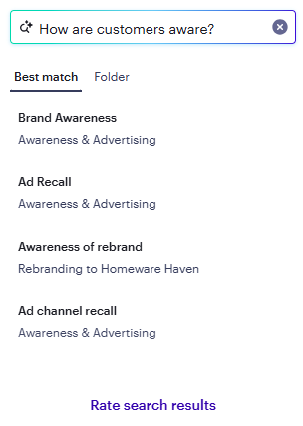
Click the Folder tab to see your search results organized by variable folder. Click on the folder name to expand the folder and see matching search results in the variable folder:
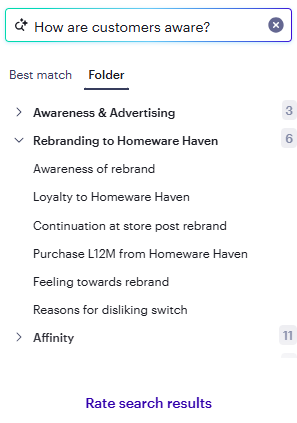
- Click or drag and drop a variable in the search results to analyze the data in Crunch.
- If there are any subvariables available in the folder tab, hover over the variable name. The + button will appear:
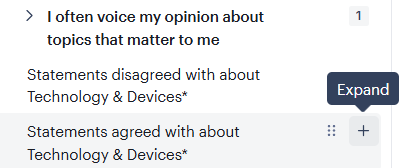
- Click the + button to expand and see all subvariables.
Providing feedback on your search results
-
Click the Rate search results link.
A feedback form appears:

- Rate your search results and provide other relevant feedback.
- Click Submit feedback when finished.
Boolean search
Crunch supports Boolean search, a technique that uses operators AND, OR, and NOT to combine keywords and refine search results. To use Boolean search in Crunch, type two or more keywords separated by AND, OR, or NOT (must be in uppercase). Boolean search works for Variable, Dataset, and Document search: