Navigating datasets
Datasets in Crunch are organized into folders:
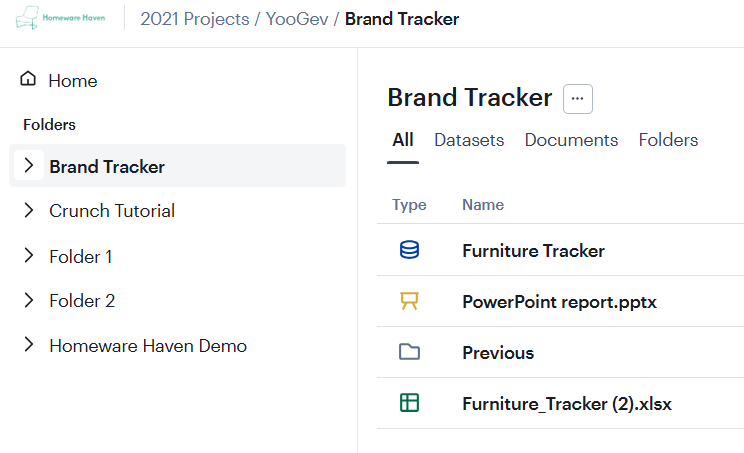
All data in Crunch is saved in folders to help keep you organized and to make it easy to collaborate and share with others. The sidebar makes it easy to see your organization’s folder structure.
Use the header at the top of the screen to quickly navigate up the hierarchy. Multiple levels may be collapsed into a folder icon – click it to open a dropdown to select one of the collapsed levels.
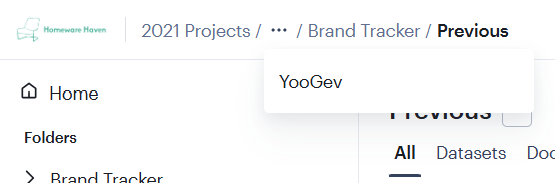
Click on the logo in the top left corner to navigate to the Crunch Homepage.
Sorting the Dataset list
Click a column header to sort the dataset list by that column.
Click the button to open a dropdown from which you can select which columns will be shown:
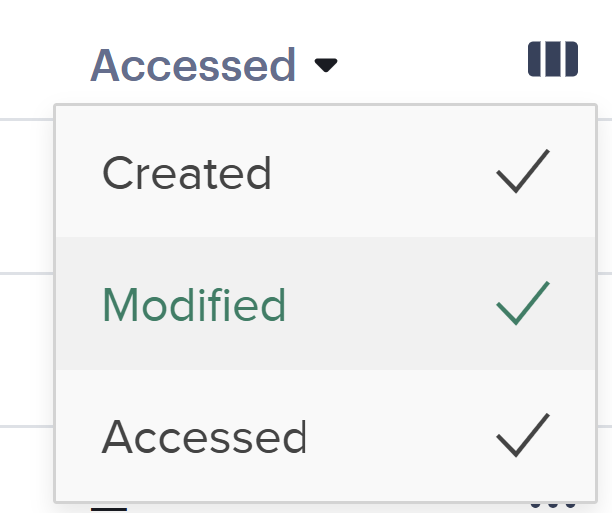
The available columns are:
- Type — The type of data, including datasets, document types, and folders. Always enabled.
- Name — The dataset name. Always enabled.
- Created — The date the dataset was created.
- Modified — The date the dataset was last edited.
- Accessed — The date that you last accessed the dataset. Searching by the column is a quick way to find a dataset you were working on recently.